
Back to the Order Build Overview
The core order settings establish the foundation for how prescriptions are dispensed within a protocol. During the Order Build process, users define key details such as the order name, type, associated drug builds, and default dispensing configuration. Careful setup of these fields helps ensure the order supports protocol requirements, provides clear documentation for pharmacy staff, and creates a consistent dispensing experience throughout the life of the study.
Required permissions
ProtocolSnapshot - Ability to view the Summary page of a Protocol (Protocol Snapshot). Required for all other protocol view permissions.
ProtocolManagement - Protocol Management
EditProtocolDrugsOrders - Drug management for a protocol
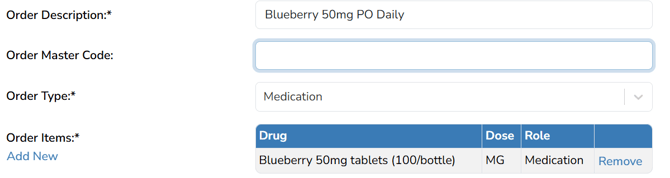
Order Description
The name of the order that will be used by the pharmacy for dispensing and is visible in the drop-down menu when selecting an order. When creating the name, users should consider if the study is the protocol blinding, dosing frequency and other factors. The Order Description field does not print on labels.
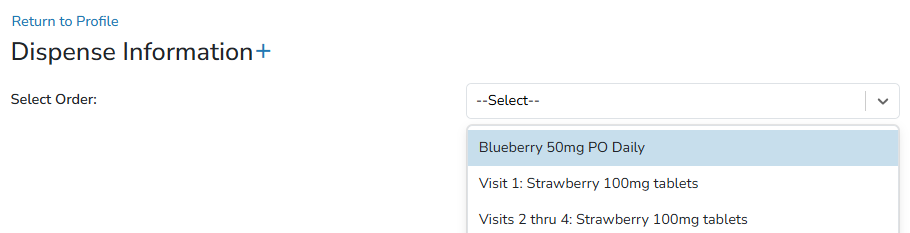
If the study is blinded to everyone, the order name would be configured in a blinded manner such as "Blueberry 50mg/Placebo PO Daily".
If pharmacy is the only unblinded party, you will likely have 2 different Arms established and the order may be named "Blueberry 50mg PO Daily".
Additionally, if there is a taper up or down, you can build orders based around those, "Blueberry 50mg PO week 1" or "Blueberry 50mg PO week 2+". This allows sites to configure different default directions.
Edits to the Order Description Field
Edits to the order description field do impact historical prescriptions, but only changes the name visible in the order dropdown.
Note - Once an order description is set and has been dispensed on, the overall intention of the order should never change. It is recommended to create a new order build in those cases.
Order Master Code
This is an optional field to record any order master code needed to link to a CPOE or pharmacy system. In most cases this is left empty.
Order Type
Options are Medication, Large Volume Parenteral, IV Syringe, Oral Syringe, IVPB, Device, and Supply.
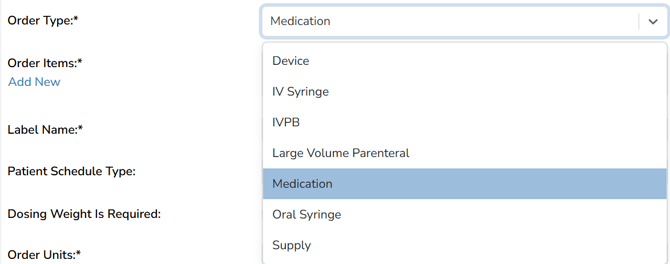
If the type is set to Large Volume Parenteral, IV Syringe, Oral Syringe, IVPB, users can enter rate and volume to the hundredth place when they are entering a dispense. The Rate and Volume fields can be pulled to site labels.
Note - Edits to this field do not change historical dispenses.
Order Items
Order items are the drug(s) that can be added to this order. The dropdown list will contain all the active drugs in the protocol that haven’t already been added to the order. You can have multiple drug builds on the order, but only one drug is needed to complete the dispensing.

To add additional drugs, click the “Add New” link under Order Items.
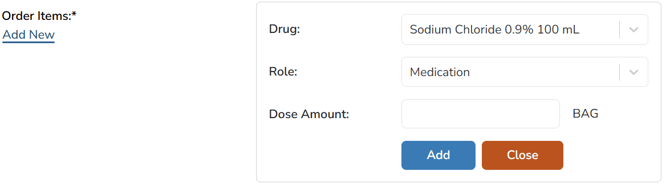
When adding drugs, you will need to determine the role for the drug you are adding. The choices are Medication, Additive, or Base Solution.
The Dose field is based on the Drug Unit field in the Drug Build. You can leave the default dose blank if you wish to fill it out during dispensing. The dose amount will be entered at the time of dispensing; entering a dose on the order build will not prepopulate the dose at the time of dispense.
Once order items are added, Vestigo will use the information entered to generate a default label name. This label name can be edited.
Edits to Order Items
Edits to the order items can impact historical dispenses, but it depends on the type of edit.
If users removes a drug build from the order and does not add it back, any previous dispense will remain intact, but users will run into issues if they need to edit the dispense.
If a user removes a drug build and readds it because the dose unit changed, this will not impact or change historical dispenses. The default dose unit will be present on new dispenses going forward.
Tip - If you are changing the overall intention of the order, you should create a new order.
Multiple Drugs on an Order Build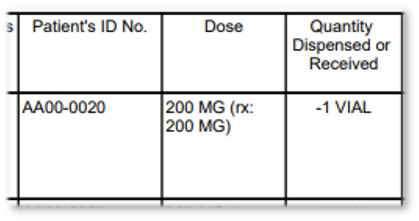
If you add more than one drug to the order build, the dose column on the DARF will be represented as the dose amount and dose unit of that drug as entered on the dispense screen, as well as what is entered in the dose description field on the dispense screen.