
Each Order Build serves as a dispensing template for a protocol. Orders link protocol arms and drug builds together while defining how prescriptions are dispensed. An order can contain one or more drugs and be assigned to one or multiple protocol arms. During dispensing, users will only see orders that are associated with the participant's enrolled arm.
If the protocol is copied, all orders are copied from the protocol being copied will be brought into the new protocol.
Required permissions
ProtocolSnapshot - Ability to view the Summary page of a Protocol (Protocol Snapshot). Required for all other protocol view permissions.
ProtocolManagement - Protocol Management
EditProtocolDrugsOrders - Drug management for a protocol
Prerequisites
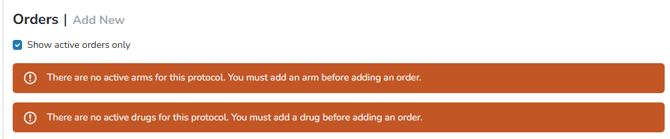
Because the drug(s) and arm(s) are required on the Order build, the user first must build an arm and drug prior to building an Order. If there are no drugs or arms, you will get a red warning message indicating that a drug build needs to be done first.
Where to Access Order Builds
Vestigo Order Builds live on the protocol in the Drugs and Orders tab when editing a protocol.
- Navigate to the protocol
- Select Edit Protocol
- Click on the Drugs/Orders tab
From this tab, users can access the protocol’s drug builds and orders to add or manage the appropriate order configuration.
When to Edit an Existing Order Build
Once an order has been used for inventory management or dispensing, any updates should be carefully evaluated to avoid unintended effects on previous transactions. Depending on the nature of the change, building a new drug or order may be preferable to modifying the existing configuration.
Similar to Protocol Arms, the most important consideration is whether the proposed change alters the original intent of the order after it has already been used for dispensing. If the order has existing dispense history and the change significantly affects how the order functions, creating a new Order Build is generally recommended. Changes to fields such as Order Items (available drug builds), Order Description, or Order Units may warrant a new order rather than modifying the existing one. Removing an Order Item can create issues when reviewing or editing historical dispensing records.
Certain fields like Thaw Times, the Drug Expiration, label settings, fees, or Chain of Custody workflows, have no impact on historical prescriptions. If enabled or modified after dispensing, the historical dispenses will continue to see the required values at the time of dispensing
When to Create a New Order Build
A new Order Build should be created whenever the proposed changes significantly alter the original purpose or behavior of an order that has already been used for dispensing. Once dispensing activity exists, modifying key order settings can impact historical records, reporting, and future revisions of those dispenses.
Consider creating a new Order Build when:
-
Adding, removing, or replacing Order Items (drug builds)
-
Changing the intended use or workflow of the order
-
Updating the Order Description in a way that changes how the order is identified
-
Modifying Order Units
-
Making changes that could affect historical dispensing records or future dispense edits
Closing an Order Build
If a protocol order is no longer used or the last participant moved out of a blinded order to an OLE arm and order, users can close those orders. This doesn't delete them but inactivates them from future use.
Tip - If a protocol order is closed, sites will not be able to edit historical prescriptions where that order was used. Users can reactivate the order from this same screen, by unchecking the Show Active Orders Only flag.
A Brief Overview of the Major Configuration Sections
The Protocol Order Build defines how prescriptions are dispensed throughout a protocol. It links protocol arms and drug builds together while establishing dispensing requirements, label configuration, dosing and documentation requirements, inventory validation settings, patient return workflows, billing fees, and other dispensing-related options. Because these settings can impact dispensing workflows, accountability records, inventory management, billing, and reporting, each field should be carefully reviewed to ensure the order supports both the protocol requirements and your site's operational processes.
In the below articles, we talk about the fields of the Order Build and how they work within Vestigo.
Order Builds: Configure Basic Order Information
Order Builds: Configure Label Name, Schedule, and Dosing Settings
Order Builds: Configure Route, Blinding, and Dispensing Instructions
Order Builds: Configure Expiration and Dispensing Documentation Requirements
Order Builds: Configure Inventory Validation and Scanning
Order Builds: Configure Patient Returns and Protocol Arm Availability
Order Builds: Configure Labels, Workload, Costs, Fees, and Documents