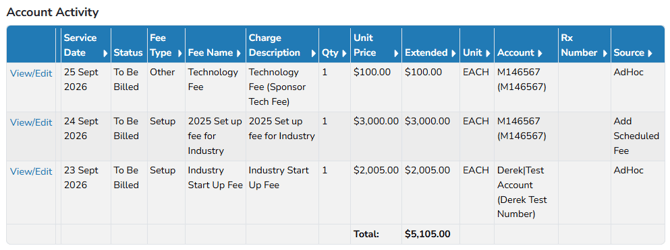
Ad-Hoc charges that are incidental or one time fee charges that don't need to be added to the one time fee charges section. Any fee can be used when creating an ad-hoc charge.
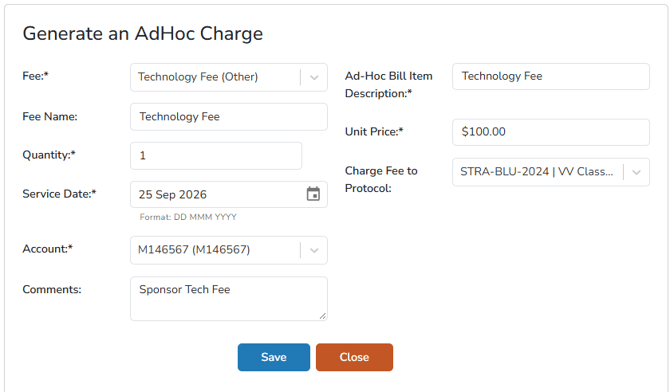
- Navigate to the Protocol
- Click on the Billing tab
- Click on Add New AdHoc Charge
- Select the Fee from the drop down menu
- (Optional) Adjust the Unit Price
- Set the Quantity to 1
- If this is set to a number greater than 1, the total charge will be Quantity * Unit Price
- Adjust the Service Date, or leave as default
- Adjust the Billing Account, or leave as default
- (Optional) Add any Comments
- Click Save
After the charge is saved, it will be visible in the account activity below in the To Be Billed Status. In the Charge Description column, the Ad-Hoc Bill Item Description and Comments are combined. eg: Technology Fee (Sponsor Tech Fee).