
These codes are unique to the protocol and cannot be shared across protocols. The codes can be viewable by the specific person or they can be viewable to all who have access to the protocol. The user is able to save the login, password, URL and comments. Multiple access codes can be added to the protocol.
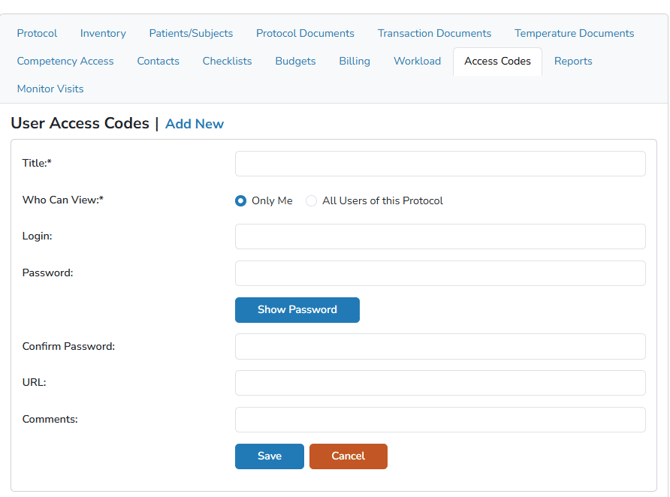
Adding an Access Code
- Navigate to the protocol
- Click on the Access Codes Tab
- Click Add New
- Enter the name of the access code in the Title field
- Define Who Can View the code with the radio option
- Enter the rest of the information as appropriate
- Click the blue Save button
If the user entered a URL, it is saved as a clickable link. If the user entered a password, it is not visible on the main page, but users can click on it to copy the encrypted password.

Editing or Deleting an Access Code
Users can edit any access code that they have access to in the event a code changes. That can be accomplished by click Edit to the left of the access code.
If a code needs to be deleted, uses can click on the Delete link to the right of the code. Deleted Access Codes are permanent and cannot be recovered.