
One time only fees will only charge one-time and can be used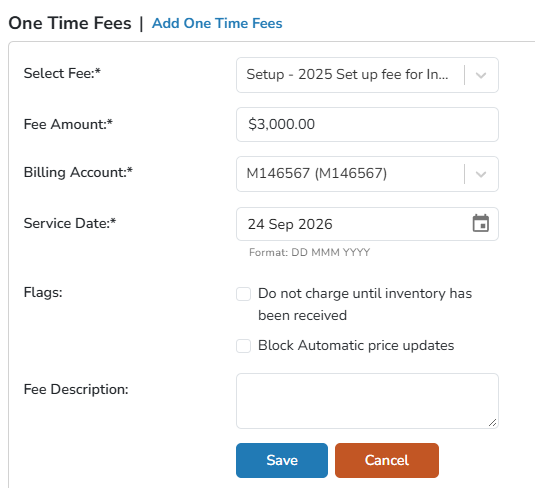
for Start Up or Set Up fees.
- Navigate to the Protocol
- Click on the Billing tab
- Click Manage
- Select Add New in the One Time Fees section
- Select the Fee from the dropdown
- Set the fee amount (if different from the default)
- (Optional) Select any of the two fee flags if necessary
- Select the Billing Account
- Adjust the Service Date, if needed
- Click the blue Save button
Tip - If adjusting the service date into the past, then the service date will post with the past date. If adjusting the service date into the future, then the charge will not post until that date.
Once the fee has been charged, it cannot be deleted off the protocol. Instead, you will need to void the charge, or issue a credit from the billing tab.