Starting in May 2022 (Release 5.3.4) to assist with management of monitor accounts and reduce the number of monitors available when searching, monitor accounts will be inactivated if any of the following conditions are met:
- Monitor accounts where the monitor has not logged in within 12 months or
- The monitor has not had a scheduled visit in the last 6 months or
- Any monitor with scheduled visit in the future will not be inactivated regardless of login activity in the last 6 to 12 months.
Users can reactivate any inactivated monitor in one of two ways:
-
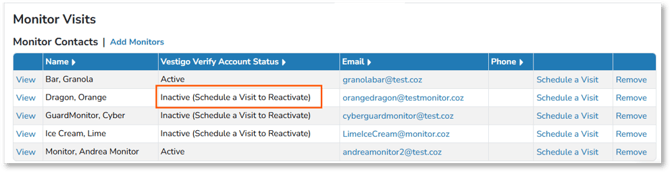
If the monitor account is already added to the study, the account will be reactivated when the user schedules a visit for that account.
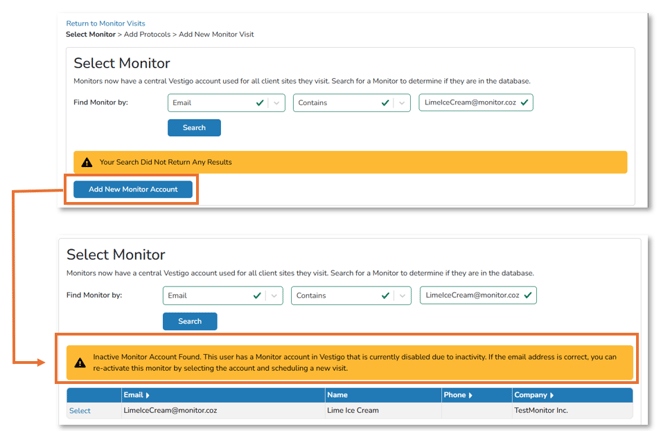
- If the monitor is not on the study, and a user search for a monitor account that has been inactivated, that account will not display. However, once the user attempts to add the account, the system will locate the inactivated account and provide a link to reactivate the account.