Back to the Drug Build Overview
This article explains the three inventory tracking methods available for a protocol drug or supply: Full Inventory Tracking, Dispense Inventory Tracking, and No Inventory Tracking. The selected method determines whether Vestigo tracks quantity on hand, inventory details such as lot number and expiration date, participant returns, quarantined inventory, and drug accountability records.
Required permissions
ProtocolSnapshot - Ability to view the Summary page of a Protocol (Protocol Snapshot). Required for all other protocol view permissions.
ProtocolManagement - Protocol Management
EditProtocolDrugsOrders - Drug management for a protocol
Inventory Tracking
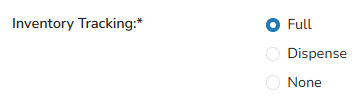
Vestigo provides three different types of inventory tracking: Full Tracking, Dispense Tracking, and No Tracking. The below table explains the various difference for each type of tracking does.
| Full Tracking | Dispense Tracking | No Tracking | |
| Track Quantity on Hand | Yes | No | No |
| Track inventory Lot Number/Item Number, expiration date | Yes | Yes | No |
| Record Participant Returns | Yes | Yes | No |
| Quarantine Inventory | Yes | No | No |
| Print on DARF | Yes | Yes | No |
Caution - Once inventory is received on a drug build, users cannot edit this setting on a drug build. If it needs to be changed, users must create a new drug build.
Full Tracking
Full inventory tracking is used for all drugs that require full virtual inventories to be maintained. This means that the drug must be received before it can be dispensed. Full Inventory tracking will also display balances on the DARF as inventory is received, dispensed, or quarantined.
Tip - Most investigational drugs require full inventory tracking.
Dispense Tracking
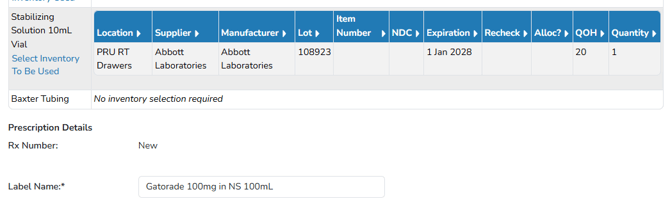
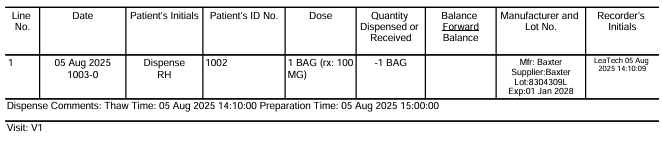
Dispense inventory tracking is used for drugs where you need to track the lot number and expiration date during dispensing but don’t need to have full virtual inventories. Examples might include IV diluent bags that are pulled from a central pharmacy when needed.
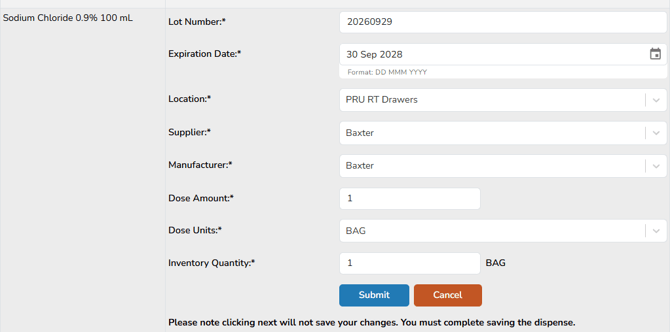
When sites utilize this type of tracking, users will be required to enter information about the inventory used during dispensing if an order is selected that has this drug build.
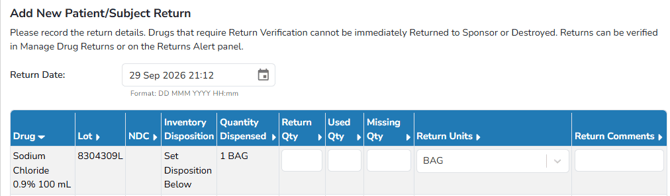
Dispense tracking drugs can also have recorded participant returns, along with appropriate final disposition like destructions.
Dispense tracking drug builds will not show balances on the DARF, but it will show each dispense transaction as they are recorded.
Note - Temperature Excursions cannot be recorded against dispense or none tracking drug builds.
No Tracking
None means that no inventory tracking will be done. You will not be able to record lot numbers or any other details about the inventory. Examples may include things such as tubing, filters or other supply items.
Note - If none is selected, you will not be able to generate any Drug Accountability Records for the drug build.
When a None tracking drug build is added to an order, it will automatically be added to the dispense.