
Delete a payment that was recorded individually or through the bulk payment function. Vestigo then recalculates the invoice balance and status.
Instructions for Deleting a Payment
If you have previously recorded a payment on an individual invoice or via the bulk payment function, you can delete that payment if needed.
- Find the invoice using Invoice Search
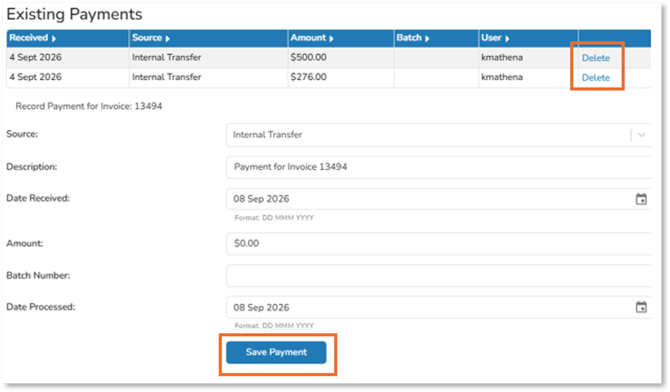
- Select Record Payment for the invoice. The Existing Payments window displays prior payments.
- Click Delete next to the payment you want to remove. Vestigo recalculates the invoice balance and status.
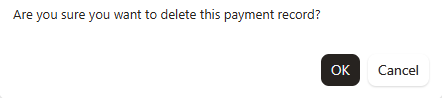
- A validator asking if you are sure you want to delete this will payment record will appear. Select OK.
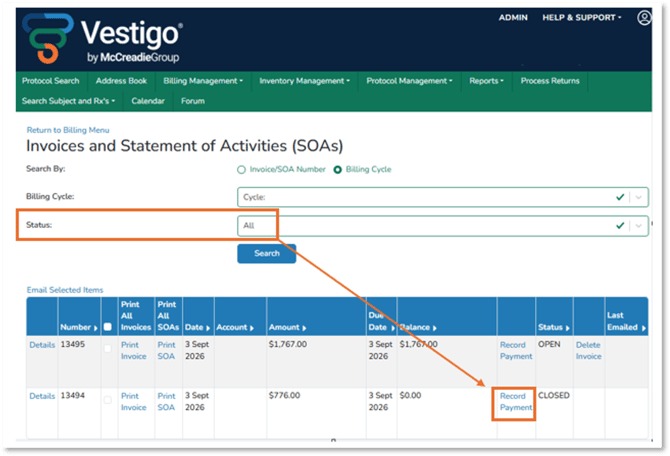
- You can also search for invoices by selecting Billing Cycle
- Select Cycle
- Click on Manage Invoices/Record Payments
- Select Status of Closed and Search
- Repeat steps 3,4, and 5